Custom Software Examples

Systems in Action

Custom software is easier to understand when you can see it. These sanitized examples show how XCom builds purpose-made systems around real operational workflows.

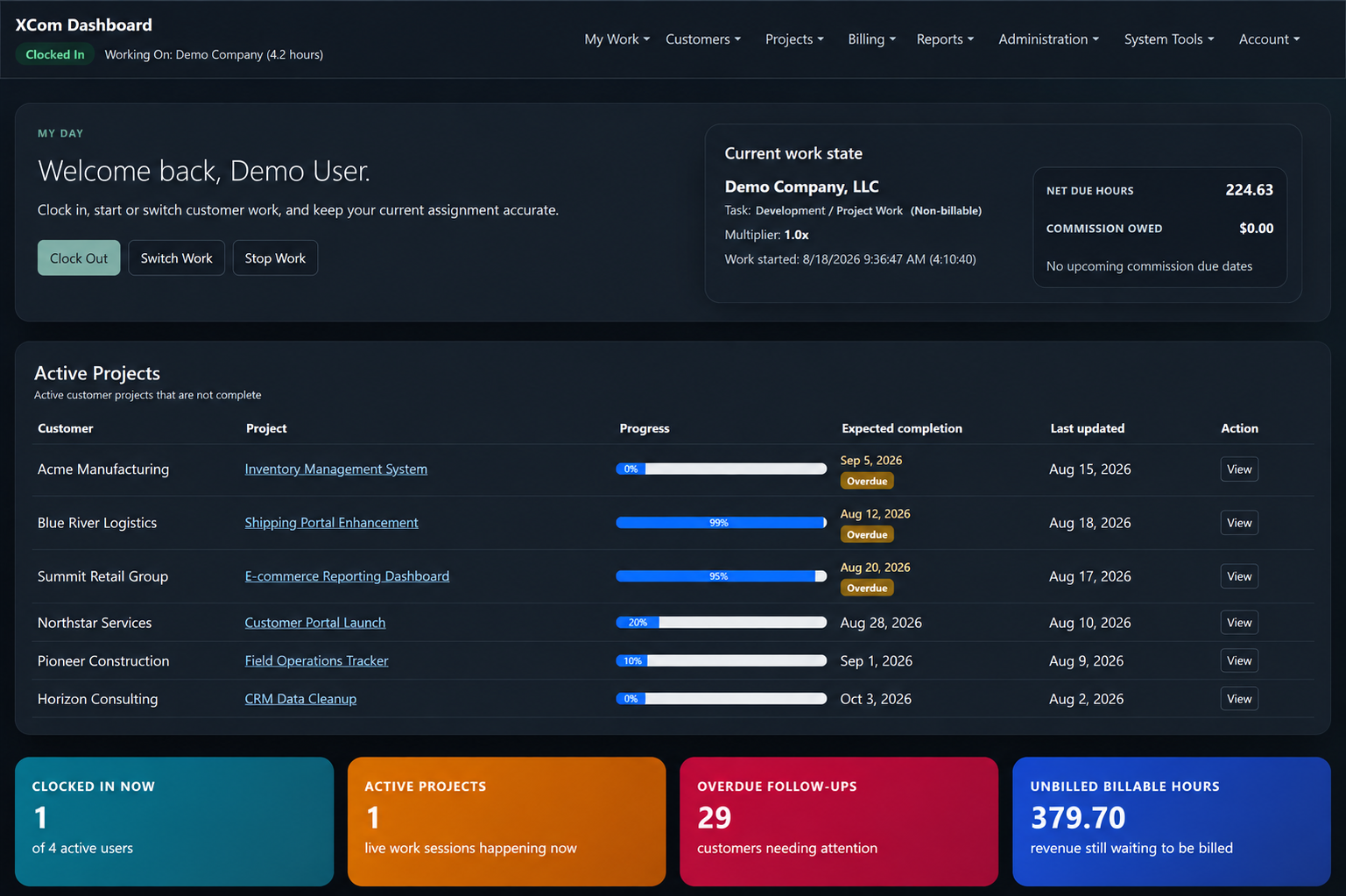
Business Operations Dashboard

Bring active work and management visibility into one place.

When projects, customer work, reporting, and day-to-day controls live in separate places, it becomes harder to see what needs attention.

A custom operations system brings active work, project status, workflow controls, and management reporting together around the way the business operates.

Active project trackingWork session managementOperational statusManagement reportingCustomer and project workflows
Explore custom business systems
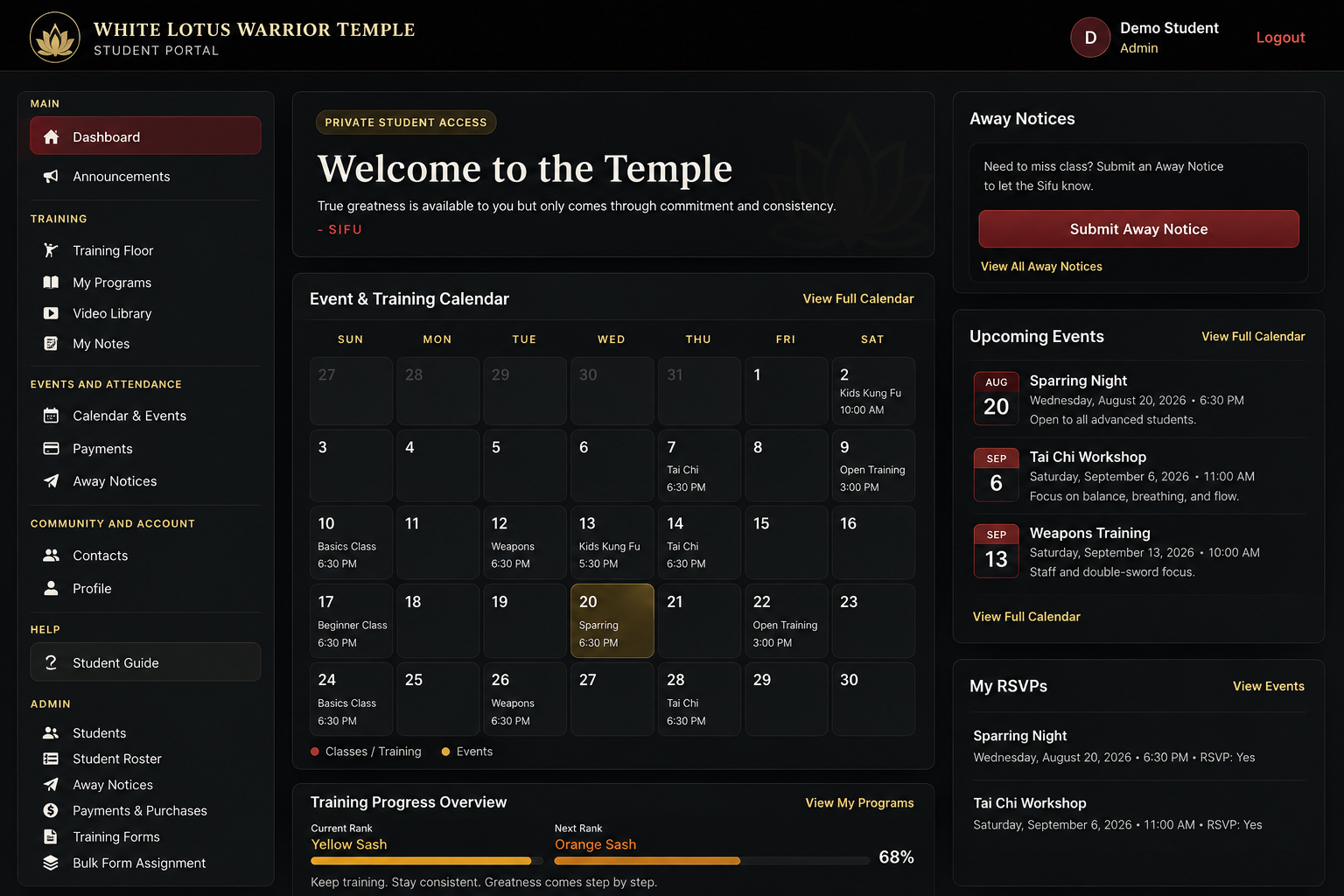
Membership & Training Platform

Support members, programs, events, and administration in one purpose-built platform.

Member access, events, attendance, programs, communication, and administrative work need to stay useful without becoming a collection of disconnected tools.

XCom built a membership and training platform that combines member access, event and training calendars, attendance tools, protected programs and content, and specialized administration.

Member and student portalEvent and training calendarAttendance and away noticesProtected programs and contentSpecialized administration
Read the related case study
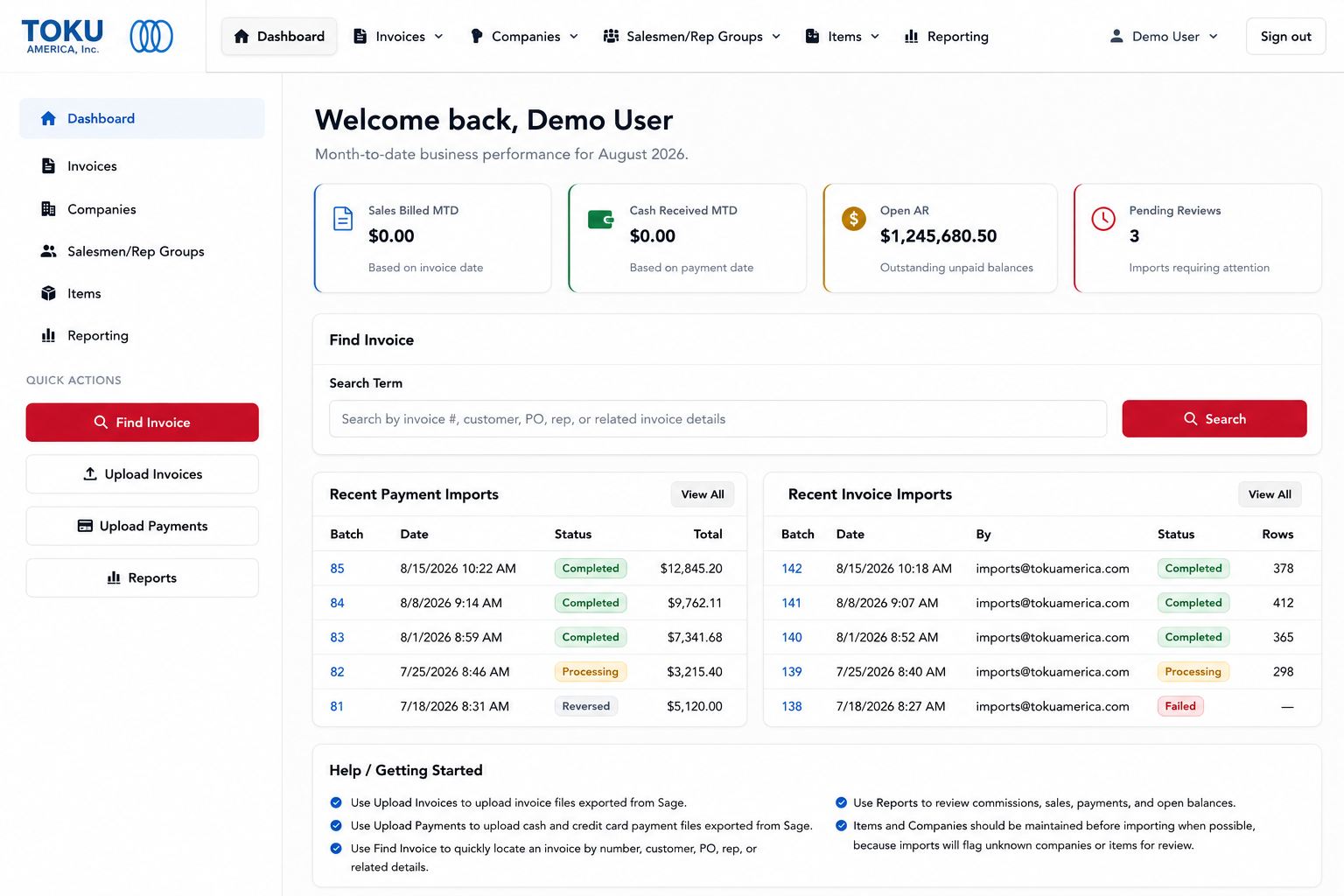
Invoice, Sales & Reporting System

Organize invoice, payment, sales, and review workflows around the business.

Financial workflow can become difficult to manage when invoice data, payment imports, sales organization, reporting, and exceptions are handled across disconnected processes.

A custom business system brings invoice management, payment imports, companies, sales representatives, reporting, review queues, and exception workflows into one operational workspace.

Invoice managementPayment importsSales and rep organizationReportingReview and exception workflows
Explore custom business systems
A Practical Approach

Built around the way the business actually works.

XCom starts with the workflow, the people using it, and the information they need. The result may be a dashboard, portal, automation system, operational application, or a combination of several tools working together.

System preview